
Organization Messages in the Admin Center

Gonzalo Sánchez de Eguilior | 4 de September de 2024 | 0 comments
Table of Contents
Effective communication is crucial to ensure that every member of the organization can contribute meaningfully to the team’s success.

What are Organization Messages in the Admin Center?
Organization messages allow us to communicate with others in the organization in a brief, personalized way that follows the company’s style guidelines. The main advantage over sending emails is that organization messages are delivered through familiar formats such as Windows 11 notifications or Microsoft 365 applications.
Who Are Organization Messages Intended For?
Especially for IT administrators and corporate communications managers who need to inform a group of employees within their organization. For example, they can be used to notify users about upcoming changes to their devices (such as Windows 11 upgrades or new application deployments), or to inform them about newly released Microsoft 365 features that may be of interest.
Key Features
Centralized management console: Allows administrators to create, manage, and review messages from a single view located in the Microsoft 365 admin center.
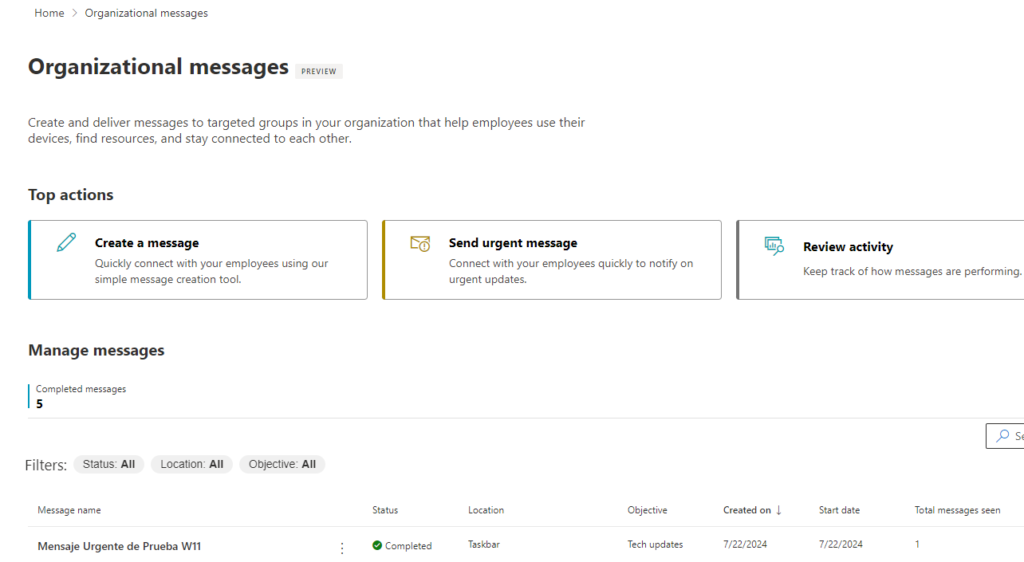
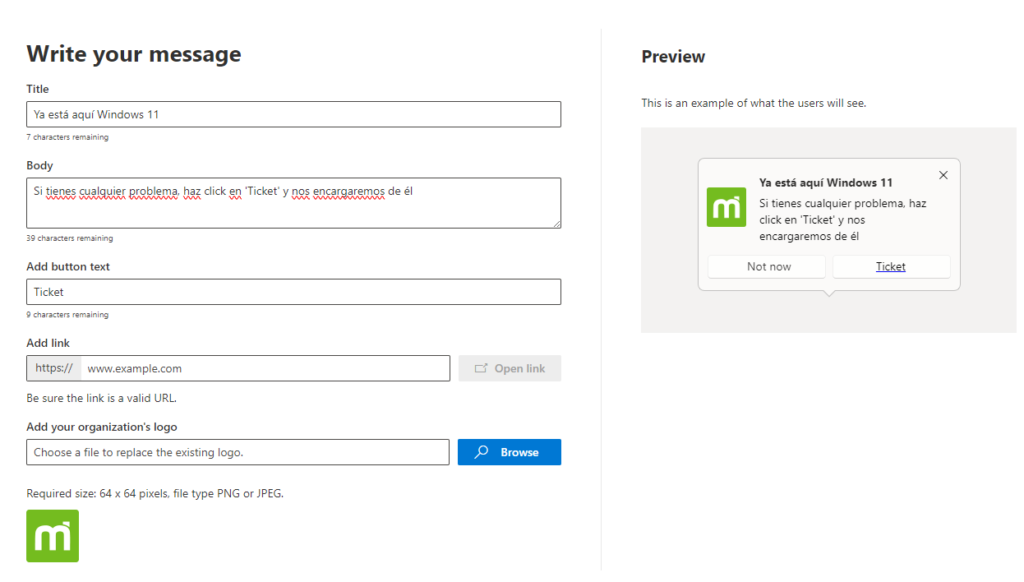
Message customization: All messages offer extensive configuration options, allowing them to be fully personalized and tailored to the needs of each moment.
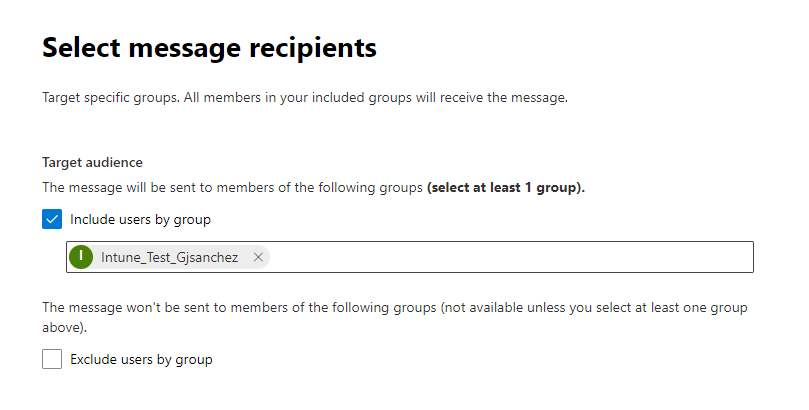
Target audience: Messages can be sent only to a specific group of users, without reaching the entire organization.
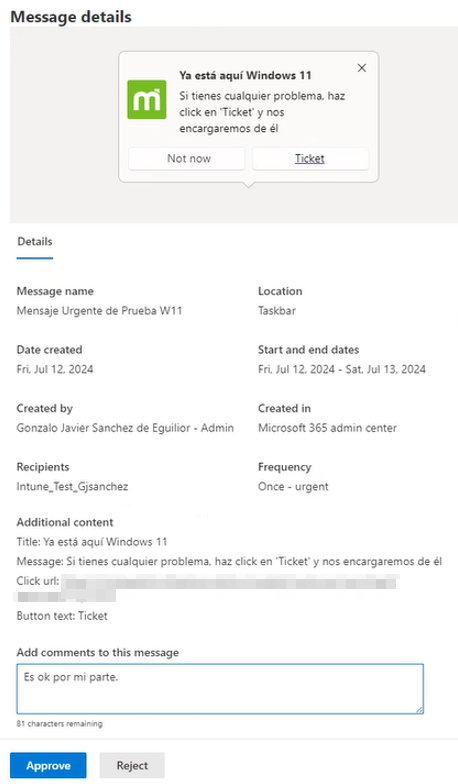
Approval workflow: All messages require a different person from the one who created the message to review and approve its delivery to end users.
In summary
The process in order would be:
- Create the message using an intuitive interface that guides you through the process.
- Select the target audience that should receive this notification.
- Schedule the publication date and its frequency.
- Wait for your message to be approved by another administrator.
- Review the monitoring statistics with advanced analytics.
Start Using Organization Messages Today
Puedes acceder al portal de menajes de la organización desde el siguiente enlace: Organizational messages – Microsoft 365 admin center
Para poder crear mensajes necesitas disponer del rol de Organizational Messages Writer, mientras que para aprobar los mensajes de otros adminsitradores, necesitas el rol de Organizational Messages Approver. Como es habitual, el rol de Global Administrator ya dispone de todos estos permisos.
End users must have an up-to-date Windows 11 Enterprise edition to take full advantage of all available options in organization messages.
Por último, es necesario habilitar una serie de configuraciones en los equipos de los usuarios, por lo que vamos a lanzar un configuration profile desde Intune de tipo settings catalog para que no haya ningún problema a la hora de recibir y procesar los mensajes en los equipos.
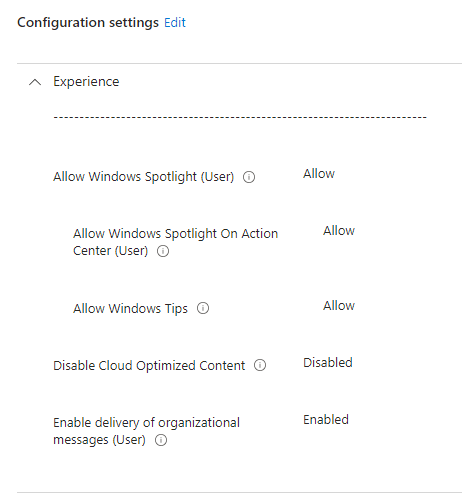
With everything set up, we can now start receiving organization messages on our devices.
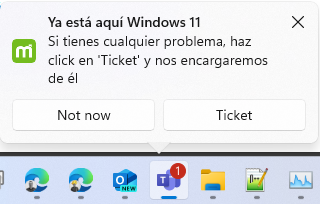
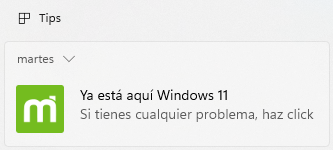
In the image, we can see the notification that will appear next to the taskbar. In the image below, we can see the message saved in the Windows 11 notification view.
Did you find this interesting? Share it!


Hi! I'm Gonzalo Sánchez :)
I’m an expert in Microsoft’s Modern Workplace area, and I love working with new technologies.
Learn more about me

